


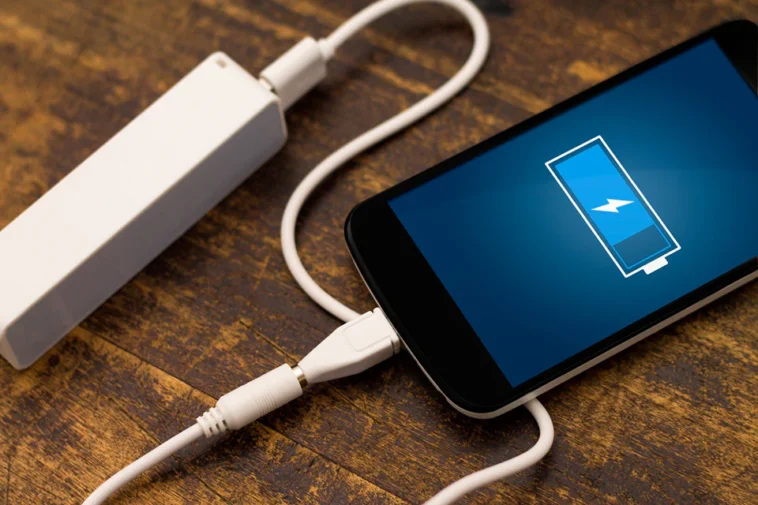
More than 70 percent of smartphone users report charging issues within the first two years of owning a device, according to several consumer electronics repair surveys. That statistic surprises many people because most assume charging problems mean the battery is failing. In reality, the cause can be much simpler.
A worn cable, dust inside the charging port, software bugs, or a battery nearing the end of its lifespan can all produce the same frustrating symptom: your phone refuses to charge properly.
Because these problems look similar on the surface, many people jump to the wrong conclusion and replace the wrong part. The goal of this guide is to help you understand how charging systems work and how to diagnose the real cause behind the problem.
By the end, you will know what signs point to a cable issue, when the charging port needs attention, and when the battery or software is actually responsible.
Why charging problems happen in modern smartphones

Smartphone charging may look simple on the outside, but the process behind it involves several components working together. A failure anywhere in that chain can interrupt the charging process.
The charging system typically includes:
- Power adapter that regulates electricity from the wall
- Charging cable that transfers current to the phone
- Charging port that connects hardware to internal circuits
- Battery that stores energy
- Software that manages charging safety and temperature
Each element plays a role in making charging stable and safe. Phones constantly monitor temperature, voltage, and current levels to prevent overheating or battery damage.
Even something as small as lint inside the port can stop the electrical connection from forming correctly.
Did you know?
A smartphone battery normally goes through about 500 full charge cycles before noticeable capacity loss begins. After that point, charging behavior may become slower or inconsistent.
Understanding this system helps narrow down the real cause when charging stops working as expected.
The cable is often the simplest explanation
Many charging issues start with something surprisingly basic: the cable. Cables endure constant bending, pulling, and twisting, which slowly damages the internal wires.
When those wires weaken, the cable may still work intermittently. This creates confusing behavior where the phone charges only at certain angles.
Common signs that the cable is the problem include:
- Charging starts and stops when the cable moves
- Phone charges very slowly with a specific cable
- Device charges normally when using a different cable
- Cable feels loose or frayed near the connectors
A damaged cable cannot reliably transfer the correct current to the device. In some cases it may still provide enough power for slow charging but not fast charging.
Replacing the cable is always the first diagnostic step because it is inexpensive and quick.
Testing with a known working cable can immediately reveal whether the issue is deeper inside the phone.
When the battery becomes the real issue

Batteries gradually degrade as they age. Chemical reactions inside lithium batteries slowly reduce their capacity and efficiency.
After hundreds of charging cycles, batteries struggle to hold power or charge properly.
Typical battery related symptoms include:
- Phone shuts down even when battery percentage shows charge
- Battery drains extremely fast after charging
- Device overheats during charging
- Charging stalls at certain percentages
When these signs appear, replacing the battery becomes a realistic solution. Many users search for reliable parts and tools to perform the repair themselves. In those situations, phone battery replacement components can help identify compatible batteries and repair kits for specific models.
Battery replacement often restores charging behavior immediately because the charging controller detects a healthy battery again.
However, batteries should only be replaced after confirming the cable and port are functioning correctly.
Software issues that interrupt charging behavior
Hardware is not always responsible. Software controls how a device manages charging speed, temperature limits, and battery protection features.
Operating systems regularly adjust charging behavior to extend battery life.
Some phones intentionally slow charging overnight to reduce battery wear. Others pause charging when the device becomes too warm.
Software-related charging issues often appear after system updates or app conflicts.
Possible causes include:
- Operating system bugs after an update
- Background apps are consuming excessive power
- Battery calibration errors
- Charging protection features limiting speed
Restarting the device can often reset temporary charging glitches.
If the issue persists, additional troubleshooting steps may help:
- Update the operating system
- Check battery health settings
- Reset power management features
- Boot the device in safe mode
These steps allow users to determine whether software behavior is responsible.
Comparing the most common charging problem sources
Charging issues can come from several sources, but certain symptoms help narrow down the cause. The table below highlights how different problems typically appear.
|
Problem Source |
Common Symptoms |
Difficulty of Fix |
| Cable damage | Charging stops when cable moves | Very easy |
| Dirty charging port | Loose connection, inconsistent charging | Easy |
| Battery degradation | Fast draining, overheating | Moderate |
| Software glitch | Charging pauses or slows unexpectedly | Easy |
This comparison helps prioritize troubleshooting steps.
Most technicians begin with the cable and charging port because they represent the most frequent and easiest fixes.
Battery and software issues usually appear only after those basic checks are completed.
Even experienced repair specialists follow this sequence to avoid unnecessary repairs.
Preventing charging issues in the future

While some wear is unavoidable, several habits can reduce the chance of future charging problems.
Small changes in daily use can significantly extend the lifespan of both charging components and batteries.
Helpful preventive practices include:
- Avoid bending the cable sharply near the connector
- Keep phones away from dusty environments when possible
- Clean the charging port periodically
- Use certified charging accessories
- Avoid charging the phone under pillows or blankets
Temperature also plays a large role in battery health. Excess heat accelerates battery degradation.
Allowing airflow around the phone during charging helps maintain safe temperatures.
These simple precautions reduce stress on the charging system and delay the need for repairs.
Final Perspective
Charging problems can feel mysterious at first because multiple components produce the same symptoms. A phone that refuses to charge does not automatically mean the battery is dead.
Cables wear out, ports collect dust, and software occasionally misbehaves. Identifying the real cause saves time, money, and unnecessary repairs.
In many cases the solution turns out to be simple: switching cables or cleaning the charging port restores normal charging immediately.
When the battery itself reaches the end of its lifespan, replacement becomes the logical next step.


