 Dada Aleksic
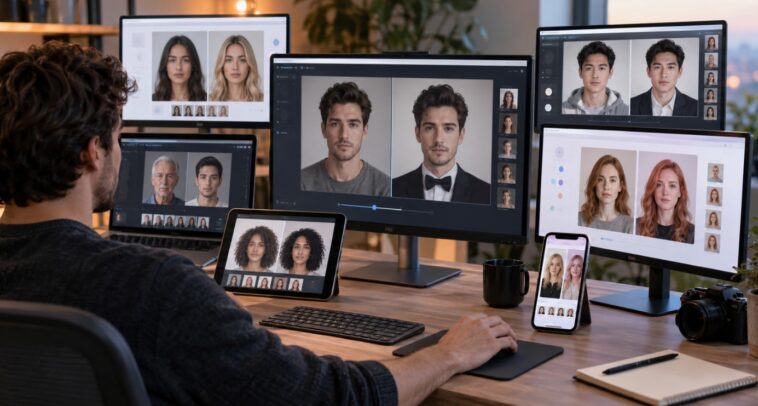
The best AI face swap tools in 2026 come down to realistic facial blending, clean handling of source images, flexible output, and enough control that creators aren’t stuck manually masking things by hand. For most people working mainly with photos, Magic Hour is the strongest all-rounder, while tools like Reface, Remaker AI, Vidnoz, and FaceFusion each suit a different kind of workflow.
Face swapping isn’t just a novelty filter anymore. Creators are using AI face replacement for concept art, social content, visual experiments, character development, marketing mockups, entertainment, and pre-production work. The real challenge is finding a tool that produces something believable — without the usual giveaways around lighting, facial proportions, skin texture, or overall image quality.
This comparison digs into the practical differences between the leading options in 2026. Rather than treating every face swapper as basically the same thing, I’m looking at where each one actually shines, where it falls short, and who’s likely to get the most out of it.
Best Face Swap AI Tools at a Glance
| Tool | Best Use Case | Photo Swap | Video/GIF | Multiple Faces | Free Option | Platform |
| Magic Hour | Overall face swapping | Yes | Yes | Yes | Yes | Browser |
| Reface | Mobile-first creative edits | Yes | Yes | Limited | Limited | Web & Mobile |
| Remaker AI | Photo and video experiments | Yes | Yes | Yes | Yes | Browser |
| Vidnoz | Free online experimentation | Yes | Yes | Yes | Yes | Browser |
| DeepSwap | Photo and video face replacement | Yes | Yes | Yes | Limited | Browser |
| FaceFusion | Local and technical workflows | Yes | Yes | Yes | Yes | Desktop |
| AKOOL | Business and marketing content | Yes | Yes | Yes | Limited | Browser |
Pricing, limits, and free allowances shift over time, so it’s worth double-checking current terms before committing to any paid plan.
What Makes a Good AI Face Swap Tool?
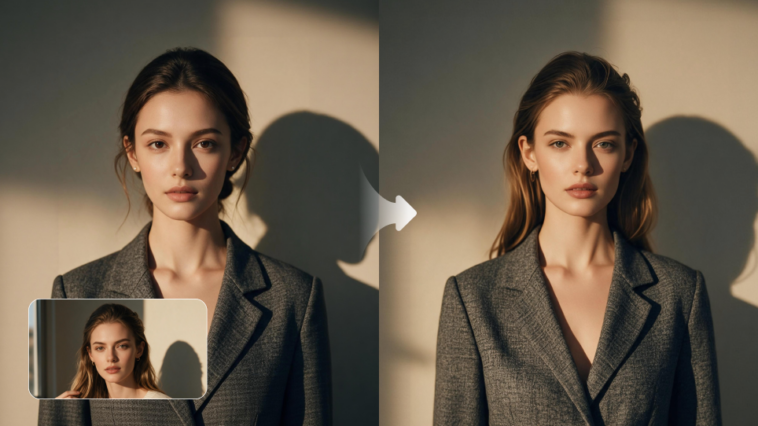
A convincing face swap takes a lot more than just spotting two faces and swapping one out.
A genuinely good system has to read facial landmarks, perspective, skin tone, lighting, expression, head position, and the surrounding image as a whole. The replacement then has to sit naturally in the target image, with nothing that looks stitched on.
For anything professional, or anything you’ll be doing repeatedly, I’d judge a tool on five things:
- Face detection: Can it reliably pick out faces at different angles and sizes?
- Blending: Does the swap actually match the target’s lighting, color, and texture?
- Identity preservation: Does the face stay recognizable, without warping into something off?
- Workflow speed: Can you crank out a few variations without a ton of setup each time?
- Output flexibility: Does it support the formats and resolutions your actual project needs?
Source material matters just as much as the tool itself. A clear, front-facing portrait gives an AI system a lot more to work with than a low-res shot buried in shadows or partially blocked.
1. Magic Hour – Best Overall AI Face Swap
Magic Hour Face Swap is my top pick for anyone who wants a straightforward face-swapping workflow without installing any specialist software.
The platform covers photo, video, and GIF face swapping, plus both single-face and multi-face workflows. You can use its photo face-swap tool without signing up at all, and the current free route allows up to five swaps a day. Magic Hour also says free photo results come without a watermark.
Pros
- Browser-based — no specialist hardware needed
- Free photo face swapping, no account required
- Covers photos, videos, and GIFs
- Single-face and multi-face workflows included
- Head-swap and body-swap options available
- No watermark on free photo face-swap results
- API access for developers
- Fits neatly into a wider AI image and video workflow
Cons
- Tricky angles can still knock down realism
- Complex lighting and partly obscured faces remain a challenge
- Video and GIF workflows run on different limits than the free photo route
- Heavy commercial output will probably need a paid plan
The biggest win here is breadth. You can start with a still image, mess around with a face replacement, then roll straight into other AI content processes — instead of bouncing between a pile of disconnected apps.
A face-swapped image, for instance, can become the starting point for an animation or short video. You can also pair face replacement with an ai image editor when the source or target image needs a bit more prep first.
Pricing: Magic Hour currently offers a Free tier, plus Creator at $19/month ($12/month billed annually), Pro at $39/month ($25/month annually), and Business at $99/month ($66/month annually). Annual billing unlocks bigger credit allowances and a few extra capabilities.
The Free route is genuinely useful just for testing photo face swaps before you decide whether a subscription’s worth it.
2. Reface – Best for Mobile-Oriented Creative Content
Reface is one of the more recognizable consumer face-swap platforms, and it leans hard into entertainment rather than production work. Its lineup covers face swaps in images and video, plus AI avatars and other visual effects.
Pros
- Built for fast, creative edits
- Handles both image and video face swaps
- Familiar mobile-first experience
- Good fit for social media experiments
- Heavy emphasis on templates and ready-made effects
Cons
- Less geared toward detailed professional image work
- Subscription and in-app purchase setup can get a bit murky
- Creative effects take priority over fine-grained control
- Serious production work will probably need a separate editor
Reface makes the most sense when speed and fun are the priority. It’s a great fit for anyone who wants to turn a face swap into a quick social post, rather than build out a full production pipeline.
Its own explanation of how face swapping works is worth a read too — Reface describes converting facial information into numerical representations before a model generates the replacement face.
Pricing: Availability and pricing shift depending on platform and subscription, so check the current app or web offering before paying for anything.
3. Remaker AI – Best for Broad AI Image Experimentation
Remaker AI bundles face swapping in with a much bigger set of AI image and video features. Its face-swap tools cover photos, videos, GIFs, and multi-face scenarios.
Pros
- Photo and video face swaps covered
- Multi-face workflows available
- No-sign-up photo face swapping
- Comes with other AI image and video tools
- Good for experimenting across different formats
Cons
- Credit-based workflows make heavy usage harder to predict
- Results lean heavily on source-image quality
- Bigger projects may still need separate editing software
- The broad toolset can overshadow fine-tuned face-swap control
One genuinely useful feature is handling several faces in a single scene — great for group photos, character scenes, or anything where swapping just one person out isn’t enough.
Remaker also supports video face swapping with longer uploads, though video processing naturally chews through more resources than a single photo does.
Pricing: Remaker runs on credits for most AI operations, with costs shifting depending on the feature and output. Worth checking the current pricing page before planning any high-volume workflow.
4. Vidnoz – Best for Free Online Testing
Vidnoz offers a browser-based face-swapping tool for both images and video. It also handles multiple faces and has an HD option for sharper output.
Pros
- Free online face-swapping option
- Covers photos and video
- Multiple-face support
- Browser-based, no install needed
- HD output available
- Solid for quick testing
Cons
- Free limits will restrict anyone doing frequent production
- The broader AI-video ecosystem may matter more than photo editing specifically
- Output requirements shift depending on which feature you’re using
- Heavy users will likely need paid access
Vidnoz is a sensible pick for anyone wanting to test the basic face-swapping process before committing to a more specialised tool.
It’s also relevant if you want to move between face replacement and AI video generation — which makes it feel more like a general AI-content platform than a dedicated face editor.
Pricing: A free tier is available, with advanced functionality behind paid plans. Exact allowances can change over time.
5. DeepSwap – Best for Credit-Based Face Replacement
DeepSwap goes all-in on face swapping across photos, GIFs, and videos. Its current documentation spells out different credit costs for each format, with photo swaps costing less than video processing.
Pros
- Dedicated face-swapping workflow
- Covers photos, GIFs, and video
- Credit usage clearly defined by media type
- Good for longer video face-swap projects
- HD face-swapping options available
Cons
- Credit systems need a bit of cost planning upfront
- Video generation burns through credits noticeably faster
- Clear source images matter a lot for good results
- Not the tool if you want a full general-purpose image editor
DeepSwap’s worth considering when face replacement is the actual job, not just one feature buried inside a broader creative suite.
Its current documentation lists photo face swaps at 0.1 credit per image and video processing at one credit per 15 seconds — though pricing structures can shift over time.
Pricing: Subscription plans come with credits and extra features. Check the current plan page for exact costs and allowances.
6. FaceFusion – Best for Technical and Local Workflows
FaceFusion takes a completely different approach. Rather than being a simple browser app, it’s an open-source face-manipulation project built for people comfortable installing and configuring software themselves.
Its repository covers face-swapping, face-enhancement, frame-enhancement, and a few other processing capabilities. There’s a solid open-source community around it, and it keeps getting new releases.
Pros
- Open-source
- Local processing means more control
- Supports multiple face-processing models
- Great for technical experimentation
- Can be folded into custom workflows
Cons
- Installation takes some technical know-how
- Hardware has a big effect on performance
- Not exactly convenient for casual browser-based editing
- Troubleshooting is more involved than with a hosted service
FaceFusion is the one I’d reach for when control and local processing matter more than convenience.
It’s especially interesting for developers, researchers, and anyone technically comfortable who wants to mess with models, processing settings, and automated workflows.
Pricing: The software itself is open source, but running it locally means factoring in hardware, setup, and infrastructure costs.
7. AKOOL – Best for Business-Oriented Creative Workflows
AKOOL offers AI face swapping alongside a broader set of media-generation tools. Its face-swap system handles both image and video input and includes several related transformation modes.
Pros
- Image and video face swapping covered
- Multiple transformation modes
- Good fit for marketing and commercial creative work
- Browser-based
- Broader AI media features beyond just face swapping
Cons
- Free usage is more limited than some dedicated free tools
- Business-focused features can feel like overkill for simple personal projects
- Credit consumption needs watching
- May offer more than a basic face-swap project actually needs
AKOOL makes the most sense for teams that see face swapping as one piece of a bigger AI-content pipeline.
A marketing team, for example, might need face replacement, avatar generation, localization, and other AI production tools all inside the same environment.
Pricing: AKOOL runs on paid plans and credits for advanced use, with free or trial access varying by feature and current offer.
How I Would Choose Between These Tools
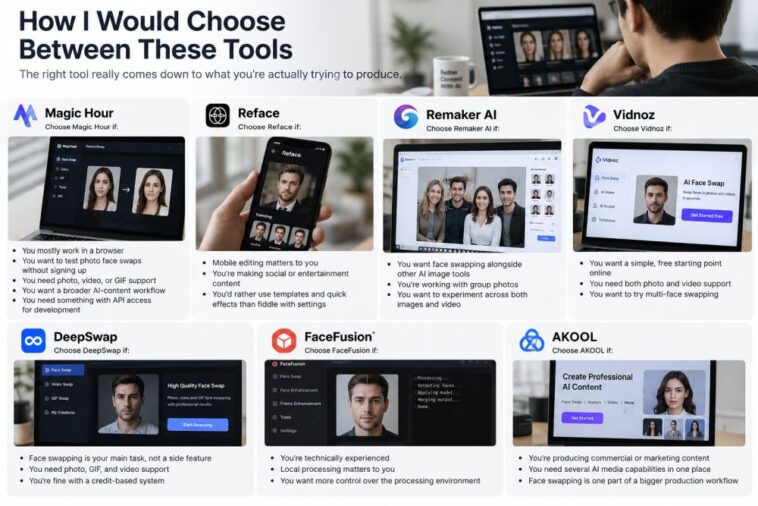
The right tool really comes down to what you’re actually trying to produce.
Choose Magic Hour if:
- You mostly work in a browser
- You want to test photo face swaps without signing up
- You need photo, video, or GIF support
- You want a broader AI-content workflow
- You need something with API access for development
Choose Reface if:
- Mobile editing matters to you
- You’re making social or entertainment content
- You’d rather use templates and quick effects than fiddle with settings
Choose Remaker AI if:
- You want face swapping alongside other AI image tools
- You’re working with group photos
- You want to experiment across both images and video
Choose Vidnoz if:
- You want a simple, free starting point online
- You need both photo and video support
- You want to try multi-face swapping
Choose DeepSwap if:
- Face swapping is your main task, not a side feature
- You need photo, GIF, and video support
- You’re fine with a credit-based system
Choose FaceFusion if:
- You’re technically experienced
- Local processing matters to you
- You want more control over the processing environment
Choose AKOOL if:
- You’re producing commercial or marketing content
- You need several AI media capabilities in one place
- Face swapping is one part of a bigger production workflow
How I Chose These Tools
I’d run any face-swap software through the same basic test set, rather than judging it off one impressive demo image.
Start with clean, front-facing portraits under similar lighting. Then bring in the harder cases — different head angles, glasses, facial hair, shadows, varying skin tones, and group photos.
Here’s what I’d actually be checking:
- Identity accuracy
- Facial proportions
- Lighting consistency
- Hairline and edge blending
- Skin texture
- Expression preservation
- Processing speed
- Output resolution
- Free-tier restrictions
- Privacy and data handling
The Face-Swap Market in 2026
The biggest shift in face swapping right now is that it’s becoming part of a much bigger AI creation pipeline, rather than standing alone.
Creators are increasingly stacking several stages together instead of treating face replacement as an isolated effect. A workflow might start with an AI-generated image, get cleaned up in an editor, run through face replacement, and then get turned into motion.
That’s exactly why the tools around face swapping matter too. An image to video workflow can turn a finished face-swapped image into an animated clip, while a lip sync tool can add synced speech once the project needs a character that actually talks.
There’s also a bigger shift underway from single-purpose apps toward multi-model creative platforms. Instead of buying separate software for image editing, animation, face replacement, and video generation, creators increasingly just expect all of it to connect.
Magic Hour, for instance, states that uploaded content isn’t used to train its models and can be deleted, and its face-swap page describes encrypted transmission and storage.
What Makes the Best AI Face Swap Look Real?
A convincing result almost always starts with good source material.
Use a clear image where the face is large enough for the system to actually analyze. Similar lighting between the source face and the target image helps a lot too. Extreme poses, heavy shadows, sunglasses, hands covering the face, and heavy compression all make the job harder.
It’s also worth inspecting the result at full resolution rather than trusting a small preview thumbnail.
Take a close look at:
- Hairline transitions
- Jaw and cheek boundaries
- Skin tone
- Eye alignment
- Teeth and mouth
- Ears and surrounding skin
- Shadows around the nose
- Neck transitions
- Facial expression
Responsible Use of Face-Swap Technology
Face swapping has plenty of legitimate creative uses, but realistic synthetic media also carries real risk.
Always get permission to use someone’s likeness where that applies. Don’t present manipulated images as authentic evidence, don’t impersonate people, and don’t create deceptive material that could cause real harm.
It’s also worth thinking through copyright, publicity rights, privacy rules, platform policies, and local laws before publishing realistic face-swapped content anywhere public.
For professional projects, keeping records of source permissions and clearly flagging synthetic content where appropriate is a practical safeguard worth building into the process.
Final Takeaway
No single face-swap app wins every category outright.
Magic Hour is the strongest overall pick for creators who want easy photo face swapping combined with video, GIF, and a broader AI creation workflow. Its free photo route also makes it easy to test the technology before deciding whether a paid plan is actually worth it.
Reface suits mobile-oriented entertainment content best. Remaker AI is great for broad experimentation, Vidnoz gives you a useful free starting point, DeepSwap stays focused purely on face replacement, FaceFusion hands technical users real local control, and AKOOL fits neatly into bigger business-content workflows.